
.png)
Description
Download Free AI Audio Cleaner Online – AI audio cleanup tool, free noise removal
Overview
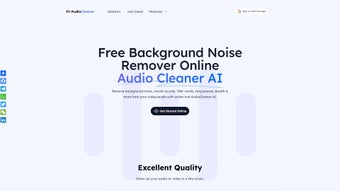
Free AI Audio Cleaner Online is a web‑based audio restoration platform that leverages artificial intelligence to automatically suppress background noise, remove unwanted mouth clicks, and isolate vocals or instrumentals with astonishing accuracy. Designed for creators of every skill level, the service eliminates the tedious manual editing that traditionally dominates podcast production, music mixing, and interview post‑processing. By simply uploading an audio file, selecting the appropriate content type (speech, music, or mixed), and clicking “Clean,” the AI engine analyses the waveform, identifies noise patterns, and applies a multi‑stage filter cascade that preserves the original tonal quality while stripping away distractions. The tool supports a wide range of common audio containers—including MP3, WAV, AAC, and WMA—so users can work with files straight from their digital audio workstation, smartphone recorder, or cloud storage. While the core cleaning functionality is completely free, a premium subscription unlocks advanced controls such as batch processing, higher‑resolution output, and custom noise‑profile training. The service is also packaged as a responsive web app, meaning it works flawlessly on desktop browsers as well as mobile browsers on Android and iPhone, offering a truly cross‑platform experience without the need for a downloadable installer. In short, Free AI Audio Cleaner Online transforms noisy recordings into broadcast‑quality audio in three effortless steps, saving creators time, money, and the frustration of learning complex DSP software. Whether you are polishing a podcast intro, cleaning up a field interview, or preparing stems for a remix, the platform provides a fast, secure, and cost‑effective solution that rivals expensive desktop alternatives.
Key Features That Set It Apart
The feature set of Free AI Audio Cleaner Online goes far beyond a simple noise gate. Each capability has been engineered to address real‑world production challenges, and together they create a workflow that feels both powerful and effortless. Below you will find a detailed look at the most compelling functionalities, why they matter, and how they contribute to a higher‑quality final product.
- AI‑Powered Noise Reduction: Deep‑learning models trained on millions of audio samples automatically detect and suppress hiss, hum, wind, and crowd chatter while keeping the target signal intact.
- Vocal & Instrument Isolation: Choose “Separate Vocals” or “Isolate Instruments” to extract stems for remixing, karaoke, or dubbing without requiring a multi‑track session.
- Automatic Mouth‑Click & Pause Removal: The engine detects and trims unwanted mouth sounds, lip smacks, and long silences, delivering a smoother listening experience.
- Multi‑Format Compatibility: Supports MP3, WAV, AAC, WMA, FLAC, and OGG, ensuring that virtually any source file can be processed directly from the browser.
- Three‑Step Workflow: Upload → Choose Content Type → Download—no learning curve, no complex settings, no software installation.
- Cross‑Device Access: Fully responsive design works on Windows, macOS, Linux, Android, and iOS browsers, allowing creators to clean audio on the go.
- Free Tier with No Watermarks: The basic service removes noise without adding any branding or audible artifacts, preserving professional quality.
- Premium Enhancements: Paid subscription adds batch processing, higher bitrate export (up to 24‑bit/96 kHz), custom noise‑profile training, and priority processing queues.
- Secure Cloud Processing: Files are encrypted during upload, processed on secure servers, and automatically deleted after a 24‑hour window to protect user privacy.
- Regular Updates: The AI models are continuously retrained, and the platform receives monthly feature drops that improve accuracy and speed.
By combining these capabilities, the tool offers a unique blend of simplicity and depth. Beginners can achieve studio‑grade results with a single click, while power users can leverage premium options for large‑scale projects. The ongoing model improvements ensure that the service stays ahead of emerging audio challenges, making it a future‑proof investment for any creator.
Installation & Usage Instructions
Getting Started – No Download Required
Because Free AI Audio Cleaner Online is a cloud‑native solution, there is no traditional installation process. All you need is a modern web browser (Chrome, Firefox, Safari, or Edge) and an internet connection. Follow these steps to begin cleaning your audio:
- Visit the website: Navigate to www.freeaiaudiocleaner.com. The landing page loads a clean interface with a large “Upload Audio” button.
- Upload your file: Click the button, browse to the audio file on your computer or mobile device, and select it. The upload progress bar shows real‑time transfer speed; most files (under 100 MB) complete in under 30 seconds on a typical broadband connection.
- Select content type: After the file uploads, a dropdown appears with three options—“Speech,” “Music,” and “Mixed.” Choose the one that best matches your recording. This selection informs the AI which frequencies to prioritize during cleaning.
- Initiate cleaning: Press the “Clean Audio” button. The server queues your job, runs the AI model, and provides an estimated processing time (usually 1‑2 minutes for standard‑length tracks).
- Preview & download: Once processing finishes, a preview player appears. You can listen to the cleaned version side‑by‑side with the original. If satisfied, click “Download Cleaned File” to save the output in the same format as the source or select a different format from the export menu.
Tips for Optimal Results
While the AI works well out‑of‑the‑box, a few best practices can maximize quality:
- Use high‑quality source files: Lossless formats (WAV, FLAC) give the AI more data to analyze, resulting in cleaner output. If you only have MP3, aim for a bitrate of 192 kbps or higher.
- Avoid extreme clipping: Over‑driven recordings can confuse the model. If your file has noticeable distortion, consider normalizing the level before upload using a simple volume‑adjust tool.
- Separate tracks when possible: For multitrack projects, cleaning each stem individually (vocals, drums, guitars) yields the most natural separation.
- Leverage the premium batch mode: If you have dozens of podcast episodes, the paid subscription lets you queue them all at once, saving time.
Mobile Workflow
On Android or iPhone, the process is identical—just open the site in Chrome or Safari, tap “Upload,” and select a file from your device’s storage or cloud folder (Google Drive, iCloud). The responsive design ensures the preview player and control buttons are comfortably sized for touch interaction, allowing you to clean interviews on location or music rehearsals straight from your phone.
Compatibility, Pros & Cons
Supported Platforms: The service runs on any operating system with a modern web browser, including Windows 10/11, macOS Ventura and later, Linux distributions, Chrome OS, Android 8.0+, and iOS 13+. Because it is browser‑based, there are no separate desktop or mobile apps to install, which simplifies updates and reduces device storage usage.
Pros
- Completely free tier for basic cleaning—no hidden fees.
- AI models deliver professional‑grade noise reduction in seconds.
- Supports a wide range of audio formats, including lossless options.
- Zero‑install, cross‑device accessibility (desktop & mobile).
- Secure, encrypted processing with automatic file deletion.
- Intuitive three‑step workflow suitable for beginners.
- Regular algorithm updates keep the tool on the cutting edge.
- Premium subscription adds batch processing and high‑resolution export.
- Responsive UI adapts to any screen size, making on‑the‑go editing painless.
- No watermarks or branding on the cleaned output, preserving a professional feel.
Cons
- Requires an internet connection; offline cleaning is not possible.
- Processing speed depends on server load and user bandwidth.
- Advanced custom noise‑profile training is locked behind the paid plan.
- Large files (>200 MB) may experience longer upload times.
- Limited control over individual filter parameters for power users.
- Subscription cost may be a barrier for hobbyists who need batch features.
FAQ – Frequently Asked Questions
Is Free AI Audio Cleaner Online truly free?
Yes, the core noise‑reduction and vocal‑isolation features are available at no cost. You can clean unlimited individual tracks, but premium features such as batch processing and high‑resolution export require a subscription.
What audio formats can I upload?
The platform accepts MP3, WAV, AAC, WMA, FLAC, and OGG files. It automatically preserves the original format for the cleaned output, though you can choose a different export format if needed.
How does the AI differentiate between voice and background noise?
The AI model has been trained on millions of labeled audio samples. It learns spectral patterns typical of speech, music, and common noises, allowing it to isolate the target signal while suppressing unwanted components without manual tuning.
Are my uploaded files stored permanently?
No. Files are encrypted during transfer, processed on secure servers, and automatically deleted after 24 hours. This policy ensures privacy and compliance with data‑protection standards.
Can I use the tool on a Mac without installing any software?
Absolutely. Because the service runs entirely in the browser, macOS users can launch Safari, Chrome, or Firefox, navigate to the site, and start cleaning audio immediately—no download or installer required.
What happens if I need to clean a multi‑hour interview?
Long recordings are supported; the platform will split the file into manageable chunks internally. For optimal speed, consider using the premium batch mode, which processes multiple segments in parallel and reduces total wait time.
Conclusion & Call to Action
Free AI Audio Cleaner Online delivers a rare combination of professional‑grade audio restoration, ease of use, and cross‑platform accessibility—all without charging a cent for the core features. Whether you are a podcaster looking to eliminate hiss from interview recordings, a musician needing clean vocal stems for remixing, or a content creator who simply wants clearer voice‑overs, this tool offers a quick, secure, and reliable solution. The three‑step workflow eliminates the learning curve associated with traditional DAW plugins, while the underlying AI ensures results that rival expensive desktop software. For power users, the optional subscription unlocks batch workflows and higher fidelity exports, making it a scalable solution as your production needs grow. Don’t let background noise distract your audience—experience the future of audio cleaning today.
Start cleaning your audio for free now and see how a few seconds of AI processing can transform the quality of your recordings.
Pros: Free core features, AI‑driven accuracy, browser‑based convenience, multi‑format support.
Cons: Requires internet, limited manual control, premium tier for batch jobs.
Guides & Tutorials for Free AI Audio Cleaner Online
How to install Free AI Audio Cleaner Online
- Click the Preview / Download button above.
- Once redirected, accept the terms and click Install.
- Wait for the Free AI Audio Cleaner Online download to finish on your device.
How to use Free AI Audio Cleaner Online
This software is primarily used for its core features described above. Open the app after installation to explore its capabilities.
User Reviews for Free AI Audio Cleaner Online 0
No reviews found




